
Pause or resume monitoring
You can pause a form while its website is undergoing maintenance or when you no longer want it monitored.
- Open Forms in the FormStatus app.
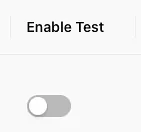
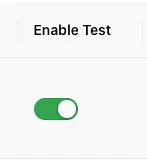
- Find the form and turn its Enable Test switch off. You can also use the status toggle on its edit page.
- Turn the toggle on again when you are ready to resume monitoring.
The switch is gray when monitoring is paused.
It is green when monitoring is enabled.
Paused forms are excluded from scheduled monitoring. Test and configuration controls may be unavailable while a form is paused. To change its test configuration, enable the form first.
After resuming, run a manual test to confirm the form still works. Review its monitoring schedule and notification recipients before leaving the page.
Pausing a form is different from canceling a subscription. Review your billing settings separately if you want to change your plan.